


EZPass North Carolina, also called NC Quick Pass, is the official electronic toll system for North Carolina drivers. It works on roads like the Triangle Expressway, Monroe Expressway, and I-77 Express Lanes. The NC Quick Pass login gives you access to your account, balance, payment options, and trip history at ncquickpass.com. This page covers every step for logging in, signing up, activating transponders, paying tolls, fixing problems, and saving money on toll roads across North Carolina and 18 other EZPass states.
Your NC Quick Pass account links to a small transponder that mounts on your windshield. When you drive through a toll zone, a reader overhead picks up the signal. The toll is then deducted from your prepaid balance. No stopping. No cash. No paper bills.
What Is EZ-Pass North Carolina (NC Quick Pass)?
NC Quick Pass is North Carolina’s electronic toll collection program. It is run by the North Carolina Turnpike Authority (NCTA). The program started in 2011 with the Triangle Expressway. Today, it operates on every toll road in the state.
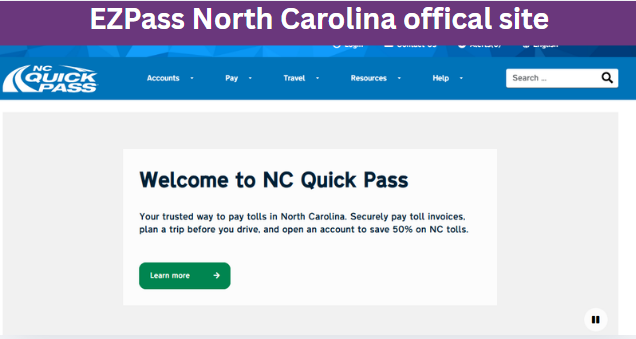
The system works with the E-ZPass network. EZPass covers 19 states from Maine to Florida and west to Illinois. Your NC Quick Pass Sticker, Standard, or Flex transponder is accepted on toll roads in Virginia, Maryland, New York, New Jersey, Pennsylvania, Ohio, and more. One transponder. Many states.
Key facts about NC Quick Pass:
- Operator: North Carolina Turnpike Authority (NCTA)
- Website: ncquickpass.com
- Phone: 1-877-769-7277
- Toll roads covered: Triangle Expressway (NC 540), Monroe Expressway (US 74), I-77 Express Lanes
- Transponder types: Sticker (free), Standard ($6.69), Flex ($14.50), Exterior ($13.49)
- Discount: 30% to 50% off Bill by Mail rates
NC Quick Pass Login: Step to Instructions
Logging into your NC Quick Pass account takes under two minutes. The login works through the website at ncquickpass.com or the mobile app. Use the steps below for fast access.

Step 1: Go to the NC Quick Pass Website
Open a browser like Chrome, Firefox, or Safari. Type ncquickpass.com into the address bar. Do not click links from emails or texts. Type the URL yourself to avoid fake sites.
The website works on phones, tablets, and computers. Bookmark the page after your first visit. This saves time on future logins.
Step 2: Click the Login Button
The Login button sits at the top right corner of the home page. Click it. A new page opens with two empty fields: one for username or email, one for password.
If you do not have an account yet, click “Sign Up” or “Open Account” instead. That starts the registration process.

Step 3: Enter Your Username and Password
Type the email address you used when you signed up. Type your password. Passwords are case-sensitive. Watch your caps lock key.
Most users use their email address as their username. If you forgot which email you used, click “Forgot Username” below the login box. A recovery email will arrive within minutes.
Step 4: Click “Log In”
Hit the blue “Log In” button. Your account dashboard loads. From here, you can check your balance, view toll history, update payment methods, add vehicles, and dispute charges.
The dashboard shows your current prepaid balance at the top. Below that, recent trips appear with date, time, road, and amount. A menu on the left gives access to account settings, transponder management, and billing tools.
Inside Your NC Quick Pass Account Dashboard
After login, the dashboard becomes your control center. Every feature you need sits inside one screen.
Balance Check
The current balance shows at the top of the page. NC Quick Pass alerts you by email or text when the balance drops below a set amount. Default alerts trigger at $5.00. You can change this number in account settings.
Trip History
Every toll charged to your account appears in trip history. Each entry shows the road, date, time, entry point, exit point, and toll amount. Trip history covers the past 90 days online. Older records require a customer service request.
Payment Methods
Click “Payment Methods” to add, remove, or edit cards and bank accounts. Credit cards, debit cards, and ACH bank transfers are accepted. Apple Pay and Google Pay work through the mobile app.
Vehicle Management
The “Vehicles” tab lets you add license plates, update VIN numbers, and remove cars you no longer own. Each vehicle on your account must match a transponder or pay-by-plate setup.
Transponder Management
Add, activate, or replace transponders here. The transponder code sits on a sticker inside the packaging. Enter that code, link it to a vehicle, and the device is active.
Forgot Password or Username: Recovery Steps
Forgotten passwords happen. NC Quick Pass has a built-in reset process that works day or night.
Password Reset Process
- Go to ncquickpass.com
- Click “Forgot Password” below the login field
- Enter the email linked to your account
- Open your email inbox for a message from NC Quick Pass
- Click the reset link inside the email
- Create a new password (12 or more characters, mix of letters, numbers, symbols)
- Log in with the new password
Reset emails arrive within five minutes. If you do not see it, check your spam or junk folder. Add @ncquickpass.com to your contacts to prevent future filtering.
Username Recovery
If you forgot your username, click “Forgot Username.” Enter the email on file. A message arrives with your username. Most users use their email as the username, so this step may not be needed.
Account Locked After Too Many Attempts
Enter the wrong password five times and the system locks the account for 30 minutes. This stops hackers from guessing passwords. Wait the full 30 minutes before trying again. Use the reset link instead of guessing.
NC Quick Pass Login Problems and Fixes
Login issues pop up for many reasons. Most are easy to fix at home without calling support.
Browser Compatibility Issues
Old browsers break website features. Update to the latest version of Chrome, Firefox, Safari, or Edge. Clear the cache and cookies every few weeks. This removes old data that blocks logins.
Disable browser extensions like ad blockers during login. These tools sometimes block login scripts. Try an incognito or private window if the normal browser fails.
Session Expired Errors
NC Quick Pass logs you out after 15 minutes of inactivity. This protects your account on shared devices. Re-enter your credentials to start a new session.
Server Downtime
Rare maintenance windows cause temporary outages. The NCTA schedules updates late at night or early morning. Check the NC Quick Pass social media pages for outage notices. Try the mobile app when the website is down.
Connection Problems
Weak Wi-Fi or mobile data causes timeouts. Switch to a stronger network. Refresh the page after connecting to a stable source.
JavaScript Must Be Enabled
The NC Quick Pass login form uses JavaScript. Disable it and the page will not load. Enable JavaScript in your browser settings. All modern browsers have JavaScript on by default.
Security Tips for Your NC Quick Pass Login
Account security protects your money and personal data. Follow these steps to keep your NC Quick Pass account safe.
Create a Strong Password
Use 12 or more characters. Mix uppercase letters, lowercase letters, numbers, and symbols. Avoid names, birthdays, or license plate numbers. Change your password every six months.
Good password example: T0llR0ad$2026NC
Bad password example: john1985
Turn On Two-Factor Authentication
Two-factor authentication (2FA) adds a second step to login. After entering your password, a code arrives by text or email. You must enter that code to finish login. Even if someone steals your password, they cannot log in without the code.
NC Quick Pass offers 2FA through the security settings page. Enable it the day you create your account.
Log Out After Each Session
Always click “Log Out” when you finish. This is critical on shared computers, library terminals, or work devices. The logout button sits in the top right corner of the dashboard.
Watch for Phishing Emails
Real NC Quick Pass emails come from addresses ending in @ncquickpass.com. Any other sender is fake. Do not click links inside suspicious emails. Open a new browser window and type ncquickpass.com yourself to check your account.
Use the Official Mobile App
Download the NC Quick Pass app from the Apple App Store or Google Play Store. The app gives safe access to your account on phones and tablets. Never download the app from third-party sites.

How to Spot NC Quick Pass Scams
Scammers target toll road users across America. NC Quick Pass users see fake texts, emails, and phone calls every week. Knowing the warning signs protects your wallet.
Phishing Email Signs
- Sender address uses a look-alike domain like ncquickpasss.com or nc-quickpass.net
- Urgent language like “Pay Now or Lose License” or “Account Suspended”
- Misspelled words or poor grammar
- Links that do not point to ncquickpass.com
- Requests for credit card numbers by email
Real NC Quick Pass emails never demand immediate payment by link. Log in to your account directly to check any notice.
Fake Text Messages
Scammers send texts saying you owe a small toll like $4.87 or $6.99. The link leads to a fake site that steals card numbers. NC Quick Pass does not send payment requests by text. Delete these messages.
Phone Call Scams
Criminals call pretending to be NC Quick Pass support. They demand payment by gift card, wire transfer, or cryptocurrency. Real support never asks for these payment types. Hang up. Call 1-877-769-7277 yourself to check your account.
How to Report a Scam
Forward phishing emails to [email protected]. Report scam texts to the FTC at reportfraud.ftc.gov. Call NC Quick Pass at 1-877-769-7277 to confirm any suspicious contact.
How to Sign Up for NC Quick Pass
Signing up for NC Quick Pass is free. The whole process takes about 10 minutes online. You need a few pieces of information before starting.
Information You Need Before Signing Up
Personal Details
- Full legal name (as shown on your driver’s license)
- Mailing address
- Email address (used for login)
- Mobile phone number (used for alerts)
Vehicle Details
- License plate number and state
- Vehicle make, model, and year
- VIN (Vehicle Identification Number, 17 characters)
Payment Method
- Credit card or debit card (Visa, MasterCard, American Express, Discover)
- Bank account and routing number for ACH transfers
- Apple Pay or Google Pay (mobile app only)
Step 1: Visit the NC Quick Pass Website or App
Open ncquickpass.com on your browser. Click “Open Account” at the top of the page. You can also start signup from the NC Quick Pass mobile app.
Step 2: Select Account Type
NC Quick Pass offers four account types:
| Account Type | Best For | Vehicle Limit | Transponder Required |
|---|---|---|---|
| Personal Account | Individual drivers and families | Up to 10 vehicles | Optional |
| NC Only Account | Drivers who only use NC toll roads | Up to 5 vehicles | No (pay-by-plate) |
| Business Account | Company fleets and rideshare drivers | Unlimited vehicles | Optional |
| First Responder Account | Police, fire, EMS personnel | Varies | Free transponder |
Most drivers choose Personal Account. Pick the option that fits your driving habits.
Step 3: Fill Out the Online Application
Enter your personal details, vehicle details, and payment method. Each step moves to the next screen. Double-check your license plate number. A typo here leads to toll violations.
Step 4: Submit Your Initial Prepaid Balance
NC Quick Pass requires a starting balance of $10 for one or two vehicles. Each extra vehicle adds $10. The minimum first deposit is $10. The maximum first deposit is $500.
Credit card deposits post instantly. Bank account deposits take 3 to 5 business days.
Step 5: Get Your Transponder
After signup, your free Sticker transponder ships within 5 to 7 business days. Standard, Flex, and Exterior transponders ship after payment. Activate the transponder when it arrives.
Activate and Manage Your NC Quick Pass Transponder
Transponders are small devices that send a signal to toll readers. NC Quick Pass offers four types for different vehicles and driving habits.
NC Quick Pass Sticker Transponder
- Cost: Free with Personal Account ($3 at retail)
- Mounting: Adheres to windshield inside, behind the rearview mirror
- Battery: None (passive technology)
- Best for: Most cars, SUVs, and trucks
- Works in: All 19 E-ZPass states
NC Quick Pass Standard Transponder
- Cost: $6.69
- Mounting: Suction cup or adhesive on windshield
- Battery: 5 to 7 years
- Best for: Drivers who want a removable device
- Works in: All 19 EZPass states
NC Quick Pass Flex Transponder
- Cost: $14.50
- Mounting: Windshield mount
- Battery: 5 to 7 years
- Special Feature: Switchable HOV mode for free travel on I-77 Express Lanes with 3+ passengers
- Best for: Carpoolers and I-77 commuters
NC Quick Pass Exterior Transponder
- Cost: $13.49
- Mounting: License plate or bumper mount
- Battery: 5 years
- Best for: Motorcycles, RVs, and vehicles with metallized windshields
How to Activate a New Transponder
- Log in to your NC Quick Pass account
- Click “Transponders” in the main menu
- Click “Add Transponder”
- Enter the 11-digit code on the transponder packaging
- Link the transponder to one of your vehicles
- Click “Activate”
The transponder is ready to use immediately after activation. Mount it on your windshield before driving through any toll road.
Transponder Mounting Tips
- Place Sticker transponders 1 to 2 inches below the windshield top, behind the rearview mirror
- Keep the device clear of tinted strips at the top of the windshield
- Do not mount transponders near metal objects or other electronics
- Clean the windshield before applying Sticker transponders
Where to Buy NC Quick Pass Transponders On The Go
Drivers who need a transponder today can find one at retail partners across North Carolina.
Retail Partner Locations
NC Quick Pass Sticker transponders are sold at these stores:
- 7-Eleven
- Speedway
- Harris Teeter
- CVS Pharmacy
- Walmart
- Amazon (online order with $3 retail fee)
How to Buy at Retail
- Visit ncquickpass.com and click “Find a Location”
- Enter your zip code
- Choose the nearest retail partner
- Buy a Sticker transponder for $3
- Pay with cash, card, or digital wallet
- Keep the receipt with the transponder code
Activating a Retail Transponder
After buying, log in to your NC Quick Pass account or create one. Enter the 11-digit code from the packaging. Link the transponder to a vehicle. Mount it on your windshield.
NC Quick Pass Mobile App: Download and Setup
The NC Quick Pass mobile app puts your account on your phone. It works on iOS and Android devices.
How to Download the App
- Open the Apple App Store or Google Play Store
- Search for “NC Quick Pass”
- Tap “Get” or “Install”
- Wait for the download to finish
- Open the app
- Log in with your NC Quick Pass username and password
App Features
- Check account balance
- View trip history
- Add or update payment methods
- Receive low-balance alerts
- Manage transponders
- Pay invoices
- Update vehicle information
- Contact customer support through chat
The app uses the same login as the website. Touch ID and Face ID login options are available on supported phones.
Fees, Costs, and Discounts for NC Quick Pass
NC Quick Pass costs less than paying tolls by mail. The savings depend on how often you drive on toll roads.
Setup Fees
| Item | Cost |
|---|---|
| Account opening | $0 (free) |
| Sticker transponder | $0 with account ($3 at retail) |
| Standard transponder | $6.69 |
| Flex transponder | $14.50 |
| Exterior transponder | $13.49 |
| Minimum opening balance | $10 |
Monthly Maintenance Fees
Accounts with no toll activity for 24 months pay $1 per month. Active accounts pay nothing in monthly fees.
Returned Payment Fees
A $25 fee applies when a credit card or bank account payment fails. Update expired cards and closed accounts right away to avoid this charge.
Quarterly Statement Fees
Paper statements cost $5 per quarter. Free electronic statements are available through email and the mobile app.
Toll Rate Discounts
NC Quick Pass users save 30% to 50% on every toll compared to Bill by Mail rates. Sample savings:
| Road | NC Quick Pass Rate | Bill by Mail Rate | Savings |
|---|---|---|---|
| Triangle Expressway (full trip) | $3.50 | $7.00 | 50% |
| Monroe Expressway (full trip) | $2.92 | $4.38 | 33% |
| I-77 Express Lanes (20 miles) | $8.00 | $15.00 | 47% |
HOV Discounts with Flex Transponder
Flex transponder users with 3 or more passengers ride free on I-77 Express Lanes. Switch the Flex to HOV mode before driving. The toll reader detects the HOV setting and charges $0.
Out-of-State Tolls
NC Quick Pass works in 19 EZPass states. Out-of-state tolls use the rates set by each state’s toll authority. Some states charge small processing fees for out-of-state transponders. Check e-zpassiag.com before long trips.
NC Quick Pass Payment Methods
NC Quick Pass accepts payments through many channels. Pick the option that fits your schedule.
Pay Online Through the Website
- Log in at ncquickpass.com
- Click “Pay Invoice” or “Add Funds”
- Enter the payment amount
- Choose your payment method
- Confirm the payment
Online payments post to your account within seconds. Credit card, debit card, and bank account payments all work online.
Pay Through the Mobile App
- Open the NC Quick Pass app
- Tap “Pay” on the home screen
- Enter the amount
- Select your saved payment method or add a new one
- Confirm with Face ID, Touch ID, or your password
Pay by Phone
Call 1-877-769-7277. Follow the automated prompts or speak to a representative. Have your account number or invoice number ready. Pay with a card over the phone.
Pay at a Customer Service Center
Visit the NC Quick Pass Customer Service Center at 200 Sorrell Grove Church Road, Morrisville, NC 27560. Pay with cash, check, money order, or card. The center is open Monday through Friday from 7 AM to 7 PM and Saturday from 8 AM to 12 PM.
Pay by MoneyGram
MoneyGram payments work for cash payers. Visit any MoneyGram location (Walmart, CVS, grocery stores). Provide your NC Quick Pass account number. Pay the toll plus a small MoneyGram fee. Payments post within 1 to 2 business days.
Pay at License Plate Agencies
Some North Carolina license plate agencies accept NC Quick Pass payments. Bring your invoice or account number. Pay with cash, check, or card. Check ncquickpass.com for the list of participating agencies.
Pay by Mail
Mail a check or money order to:
NC Quick Pass
P.O. Box 100020
Atlanta, GA 30348-0020
Include your account number or invoice number on the check. Mail payments take 7 to 10 business days to post.
Set Up Auto-Replenishment
Auto-replenishment adds money to your account automatically when the balance drops below a set amount. Most users set the trigger at $10 with a refill of $40. Set this up through the website or app under “Payment Settings.”
NC Quick Pass Roads, Rates, and Coverage
North Carolina has three major toll roads plus several smaller facilities. All accept NC Quick Pass for discounted rates.
Triangle Expressway (NC 540)
The Triangle Expressway runs 19 miles around the western side of the Raleigh-Durham area. It connects NC 147, NC 540, and NC 55. Tolls range from $0.30 to $1.50 per segment depending on distance. A full-trip cost with NC Quick Pass runs about $3.50. Without a transponder, the Bill by Mail rate is roughly $7.00.
Monroe Expressway (US 74 Bypass)
The Monroe Expressway covers 19.8 miles near Charlotte. It runs from US 74 near Stallings east of Charlotte to Marshville. A full trip with NC Quick Pass costs $2.92. The Bill by Mail rate is $4.38.
I-77 Express Lanes
The I-77 Express Lanes span 26 miles from uptown Charlotte to Mooresville. Tolls use dynamic pricing based on traffic. Rates range from $0.30 to $4.00 per mile during peak times. A 20-mile trip can cost $4 to $10 with NC Quick Pass. The Bill by Mail rate is roughly double.
Other Toll Facilities
- Western Turnpike (Cherokee area): $1 to $2 for 2-axle vehicles
- US 64 Outer Banks: $3 to $5 for a full trip
- Crowdourced roads and bridges: Check ncquickpass.com for the full list
NC Quick Pass Toll Calculator
The toll calculator on ncquickpass.com estimates trip costs. Use it before any toll road drive.
How to Use the Toll Calculator
- Go to ncquickpass.com and click “Toll Calculator”
- Select your starting point and ending point
- Choose your vehicle type (2-axle car, motorcycle, truck)
- Pick “With NC Quick Pass” or “Without NC Quick Pass”
- Enter travel time and day
- View the cost breakdown
The calculator shows the exact toll for each segment. It also shows the Bill by Mail rate for comparison.
How to Dispute a Toll Charge
Mistakes happen. License plate readers sometimes misread plates. Transponders fail. When this happens, file a dispute through the NC Quick Pass system.
Who Can Dispute a Toll?
Any NC Quick Pass account holder or invoice recipient can dispute a charge. reasons include:
- Wrong license plate match
- Transponder not read at the toll zone
- Toll charged for a road you did not drive
- Duplicate charge for the same trip
- Vehicle sold or transferred before the toll date
Time Limit for Disputes
File disputes within 30 days of the invoice date. After 30 days, the NCTA denies the dispute. Act fast.
Documents Needed for a Dispute
- Invoice or violation notice number
- Account number
- Proof you did not drive the road (GPS data, receipts, work records)
- Photos or timestamped documents showing your vehicle location
How to File a Dispute
- Log in to your NC Quick Pass account
- Click “Dispute a Toll” in the main menu
- Select the trip in question
- Choose the reason for the dispute
- Upload your supporting documents
- Submit the form
How to Submit by Mail or Fax
Download the Toll Dispute Form from ncquickpass.com. Fill it out by hand or print it. Mail it to NC Quick Pass, P.O. Box 100020, Atlanta, GA 30348-0020. Or fax it to 919-388-3279.
What Happens After You File
The NCTA reviews disputes within 30 days. You receive a response by email or mail. Approved disputes result in a credit to your account or a refund check. Denied disputes can be appealed once with new evidence.
NC Quick Pass Customer Service and Support
NC Quick Pass support is available through multiple channels. Pick the method that fits your needs.
Phone Support
Call 1-877-769-7277. Phone lines are open Monday through Friday from 7 AM to 7 PM and Saturday from 8 AM to 12 PM. Average wait time is under 10 minutes during business hours. After hours, an automated line handles balance checks and payment requests.
Email Support
Send questions through the contact form at ncquickpass.com. Replies arrive within 24 hours on business days. Include your account number for faster service.
Live Chat
Click the chat icon on ncquickpass.com to start a live session. Chat agents handle account questions, payment issues, and transponder problems. Chat hours match phone support hours.
In-Person Service at Customer Service Centers
The main NC Quick Pass Customer Service Center sits at 200 Sorrell Grove Church Road, Morrisville, NC 27560. The center handles:
- New account setup
- Transponder pickup
- Cash payments
- Dispute filings
- Account updates
The center is open Monday through Friday from 7 AM to 7 PM and Saturday from 8 AM to 12 PM. Closed on Sundays and major holidays.
License Plate Agency Help
Some North Carolina DMV license plate agencies process NC Quick Pass payments and basic account updates. Find participating agencies at ncquickpass.com under “Service Locations.”
EZPass State Coverage for NC Quick Pass
NC Quick Pass works through the E-ZPass Interagency Group (IAG). The IAG connects toll systems across 19 states.
States That Accept NC Quick Pass
| State | Toll System Name |
|---|---|
| Delaware | E-ZPass Delaware |
| Florida | E-ZPass Florida (SunPass) |
| Illinois | I-Pass / E-ZPass Illinois |
| Indiana | E-ZPass Indiana |
| Kentucky | RiverLink |
| Maine | E-ZPass Maine |
| Maryland | E-ZPass Maryland |
| Massachusetts | MassDOT E-ZPass |
| Minnesota | E-ZPass Minnesota |
| New Hampshire | E-ZPass New Hampshire |
| New Jersey | E-ZPass New Jersey |
| New York | E-ZPass New York |
| North Carolina | NC Quick Pass |
| Ohio | E-ZPass Ohio |
| Pennsylvania | E-ZPass Pennsylvania |
| Rhode Island | E-ZPass Rhode Island |
| Virginia | E-ZPass Virginia |
| West Virginia | E-ZPass West Virginia |
One transponder. Many states. No need for multiple accounts when you travel.
How to Close an NC Quick Pass Account
Drivers close accounts when they sell their car, move out of state, or stop using toll roads. The closure process is simple.
Steps to Close Your Account
- Log in to ncquickpass.com
- Pay off any outstanding balance
- Click “Account Settings”
- Select “Close Account”
- Confirm the closure request
- Return any Standard, Flex, or Exterior transponder to avoid a fee
The NCTA processes closure requests within one business day. A confirmation email arrives after the account closes. Any remaining balance under $10 is refunded by check. Balances over $10 are returned within 30 days.
Before You Close
- Clear all outstanding toll charges
- Remove or transfer vehicles to another account
- Return hard-case transponders (Standard, Flex, Exterior) to avoid the replacement fee
- Keep your account open if you plan to drive on NC toll roads again soon
NC Quick Pass vs. Other Toll Services
NC Quick Pass is one of several toll programs in the United States. Each works on specific roads, but interoperability is growing.
NC Quick Pass vs. SunPass (Florida)
SunPass is Florida’s main toll system. NC Quick Pass and SunPass work together through the E-ZPass/SunPass interoperability agreement. Your NC Quick Pass Sticker, Standard, or Flex transponder is accepted on Florida toll roads. SunPass customers can use NC toll roads too.
NC Quick Pass vs. E-Pass (Central Florida)
E-Pass serves Orlando-area toll roads like SR 408, SR 417, and SR 429. NC Quick Pass transponders work on E-Pass roads thanks to interoperability. Drivers with both accounts do not need a second transponder.
NC Quick Pass vs. EZ-Tag (Texas)
EZ-Tag is run by the Harris County Toll Road Authority in Houston. NC Quick Pass works on EZ-Tag facilities including the Hardy Toll Road, Sam Houston Tollway, and Westpark Tollway. The reverse is also true.
NC Quick Pass vs. Peach Pass (Georgia)
Peach Pass operates on I-75, I-85, and I-575 in metro Atlanta. NC Quick Pass transponders work on Peach Pass lanes. Peach Pass users can drive NC toll roads without opening a new account.
NC Quick Pass vs. TxTag (Texas)
TxTag covers toll roads across Texas. NC Quick Pass works on most TxTag facilities. Some Texas toll roads add small surcharges for out-of-state transponders. Check the TxTag website before road trips.
NC Quick Pass vs. FasTrak (California)
FasTrak operates only in California. NC Quick Pass does not work on California toll roads because FasTrak is not part of the E-ZPass network. California drivers visiting North Carolina need a separate NC Quick Pass account.
NC Quick Pass Account Tips for Daily Commuters
People who use toll roads every day can save the most money. These tips help commuters get the best value.
Set Auto-Replenishment at the Right Level
Most commuters set the auto-replenishment trigger at $10 with a refill of $40. This keeps the account funded without constant attention. Adjust the trigger based on your monthly toll costs.
Enable Low-Balance Alerts
Turn on text and email alerts for low balances. The default alert triggers at $5. Most commuters raise this to $15 so they get more warning before the auto-replenishment kicks in.
Use the Flex Transponder for HOV Savings
Carpoolers save the most with a Flex transponder. Three or more passengers ride free on I-77 Express Lanes. The Flex also works for free HOV travel in Virginia on I-95 and I-395.
Check Trip History Monthly
Review your trip history once a month. This helps you spot billing errors, identify high-cost trips, and plan cheaper routes. Trip history is available for 90 days online. Older records require a customer service request.
Keep Multiple Payment Methods on File
Add a backup payment method to your account. If your primary card fails, the backup kicks in. This prevents Bill by Mail charges from failed replenishments.
NC Quick Pass for Rental Cars and Visitors
Out-of-state drivers and rental car users have special options for NC toll roads.
Using NC Quick Pass in a Rental Car
Rental car companies offer their own toll programs. These programs charge daily fees plus the toll amount. Most charge $3 to $5 per day on top of tolls. A personal NC Quick Pass transponder is cheaper for trips longer than three days.
How to Add a Rental Car to Your Account
- Log in to your NC Quick Pass account
- Click “Vehicles”
- Click “Add Vehicle”
- Enter the rental car license plate and state
- Select start and end dates for the rental
- Save the entry
Remove the rental car from your account when you return it.
NC Quick Pass for Out-of-State Visitors
Visitors can open a temporary NC Quick Pass account at ncquickpass.com. Use the NC Only Account option. This account type uses pay-by-plate without a transponder. Tolls are charged to a credit card on file.
NC Quick Pass for Businesses and Fleets
Companies with multiple vehicles need a Business Account. Business accounts include features for fleet management.
Business Account Benefits
- Unlimited vehicles on one account
- Detailed monthly statements for accounting
- Department-level reporting
- Bulk transponder ordering
- Dedicated account manager
- Custom payment schedules
How to Open a Business Account
- Go to ncquickpass.com and click “Business Account”
- Enter your company details (name, EIN, address)
- Add the primary account administrator
- Add payment method (business credit card or bank account)
- Add vehicles individually or in bulk upload
- Order transponders for each vehicle
Business accounts cost $20 per month plus tolls. Volume discounts are available for fleets over 50 vehicles.
NC Quick Pass for Motorcycles and Specialty Vehicles
Motorcycles, RVs, and cars with metallized windshields need special transponder setups.
Motorcycle Transponders
NC Quick Pass Exterior transponders mount on motorcycle license plate brackets. The $13.49 device is weatherproof and battery-powered. Mount it away from metal parts to avoid signal interference.
Metallized Windshield Vehicles
Some cars have windshields with metallic coatings that block transponder signals. Examples include some Tesla, Audi, and Volvo models. Use an Exterior transponder mounted on the license plate bracket. Sticker transponders will not work on these vehicles.
RVs and Trailers
RVs use Standard or Exterior transponders. Add a separate vehicle entry for the trailer if it has its own license plate. Tolls for trailers depend on axle count. Check your toll calculator estimates before long trips.
NC Quick Pass Environmental and Community Impact
NC Quick Pass reduces traffic and pollution across North Carolina.
Less Idle Time at Toll Booths
Cash toll booths force cars to stop and start. This wastes fuel and creates congestion. Electronic tolling keeps traffic moving. Studies show electronic tolling cuts fuel use by 15% to 20% on busy toll roads.
Lower Emissions
Cash toll booths release carbon emissions from idling cars. Electronic tolling eliminates these idling periods. North Carolina toll roads see lower emissions per vehicle thanks to NC Quick Pass.
Funding for Road Improvements
Toll revenue funds road construction and maintenance. The Triangle Expressway, Monroe Expressway, and I-77 Express Lanes were built using toll bonds. NC Quick Pass users fund the infrastructure they use.
NC Pass and Privacy
NC Quick Pass collects personal data to manage accounts. The NCTA publishes a privacy policy at ncquickpass.com.
What Data NC Quick Pass Collects
- Name, address, email, and phone number
- Driver’s license number (for some account types)
- Vehicle plate, VIN, make, model, and year
- Payment information (cards or bank accounts)
- Toll trip data (date, time, location, amount)
How NC Quick Pass Uses Data
The NCTA uses account data only for toll collection, account management, and customer service. Data is shared with law enforcement only through court orders. Trip data is never sold to advertisers
Official NC Quick Pass Contact Details
Use these official channels for all NC Quick Pass questions and services.
- Official Website: https://www.ncquickpass.com
- Customer Service Phone: 1-877-769-7277
- Customer Service Fax: 919-388-3279
- Customer Service Email: [email protected]
Mailing Address for Payments and Disputes:
NC Quick Pass
P.O. Box 100020
Atlanta, GA 30348-0020
Walk-In Customer Service Center:
200 Sorrell Grove Church Road
Morrisville, NC 27560
Customer Service Center Hours:
Monday through Friday: 7:00 AM to 7:00 PM
Saturday: 8:00 AM to 12:00 PM
Sunday: Closed
Major holidays: Closed
Phone Support Hours:
Monday through Friday: 7:00 AM to 7:00 PM
Saturday: 8:00 AM to 12:00 PM
Automated line: 24 hours daily
Mobile App Downloads:
Apple App Store: Search “NC Quick Pass”
Google Play Store: Search “NC Quick Pass”
Find Us on Google Maps: NC Quick Pass Customer Service Center, Morrisville, NC
NC Quick Pass Frequently Asked Questions
Drivers across North Carolina ask the same questions about NC Quick Pass. Here are clear answers to the most common ones.
How do I log into my NC Quick Pass account for the first time?
Go to ncquickpass.com and click “Login” at the top right. Enter the email you used during signup. Enter your password. Click “Log In.” Your dashboard opens with your balance, trip history, and account settings. If you forgot your password, click “Forgot Password” and follow the email reset steps.
What should I do if my NC Quick Pass account is locked?
Accounts lock after five wrong password attempts. Wait 30 minutes for the lock to expire. Then click “Forgot Password” to create a new one. New passwords must be 12 or more characters with a mix of letters, numbers, and symbols. If the lock does not clear after 30 minutes, call 1-877-769-7277.
Can I use my NC Quick Pass in another state?
Yes. NC Quick Pass works in 19 E-ZPass states from Maine to Florida. Your Sticker, Standard, or Flex transponder is accepted in Virginia, Maryland, New York, New Jersey, Pennsylvania, Ohio, and more. Out-of-state tolls use the rates set by each state. Check e-zpassiag.com before long trips to confirm road coverage.
How much money do I save with NC Quick Pass?
NC Quick Pass users save 30% to 50% on every toll. A $7.00 Bill by Mail toll drops to $3.50 with NC Quick Pass on the Triangle Expressway. A daily commuter saves $50 to $100 per month. The Flex transponder adds free HOV travel on I-77 Express Lanes with 3 or more passengers, saving even more.
How do I add a new vehicle to my NC Quick Pass account?
Log in to your account. Click “Vehicles.” Click “Add Vehicle.” Enter the license plate number, state, make, model, year, and VIN. Click “Save.” The vehicle is active immediately. If you have a transponder for the new vehicle, link it under “Transponders.”
What happens if my transponder stops working?
Order a replacement transponder through your account. A Sticker replacement is free. Standard and Flex replacements cost the standard price. Mount the new transponder when it arrives. Return broken devices only when requested. NC Quick Pass will charge your account at the Bill by Mail rate for trips without a working transponder.
How do I dispute a toll I did not make?
Log in to your account within 30 days of the invoice. Click “Dispute a Toll.” Select the trip. Choose a reason. Upload proof like GPS records, work schedules, or vehicle photos. Submit the form. The NCTA reviews disputes within 30 days and emails a response. Approved disputes result in account credits or refund checks.
Can I share my NC Quick Pass transponder with another driver?
No. Transponders are linked to specific vehicles and accounts. Sharing causes wrong toll charges. Each vehicle on your account needs its own transponder. Drivers outside your household should open their own NC Quick Pass account.
How do I contact NC Quick Pass customer service?
Call 1-877-769-7277 for phone support. Hours are Monday through Friday 7 AM to 7 PM and Saturday 8 AM to 12 PM. Send email through the contact form at ncquickpass.com. Use live chat on the website. Visit the Customer Service Center at 200 Sorrell Grove Church Road, Morrisville, NC 27560 for in-person help.
